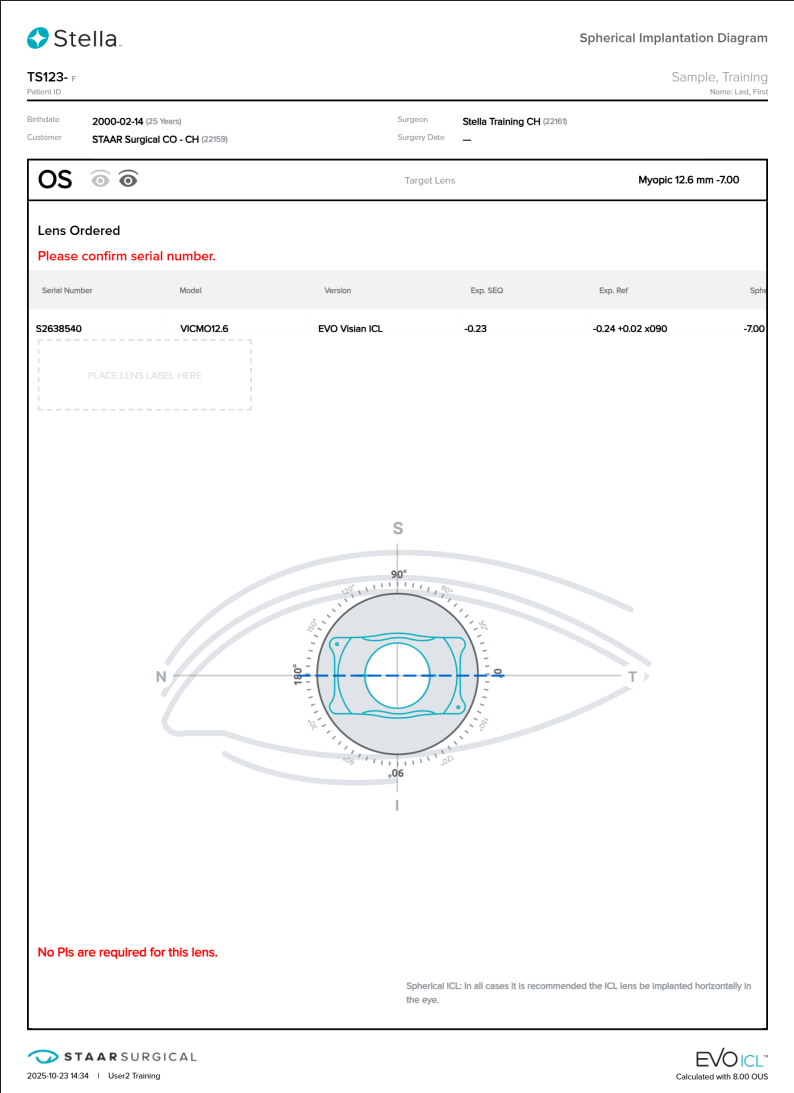
How to Generate an IOD/SID
Once the lens specifications are known, you can generate an Implantation Orientation Diagram (IOD) for Toric lenses and Spherical Implantation Diagram (SID) for Spheric lenses.
Note: An MTO order can only have the IOD generated after the lens has been manufactured.
There are multiple locations where you can generate an IOD or SID:
- Reservations tab
- Reservation Details page
- After placing an order, on the Order Confirmation page *if applicable
- Order Details page
- Patients tab
- Patient Details page under RESERVATIONS or ORDERS
To generate the IOD/SID to complete your surgical planning:
- Using one of the locations mentioned above, locate the lens of the patient for which you would like to generate the IOD/SID.
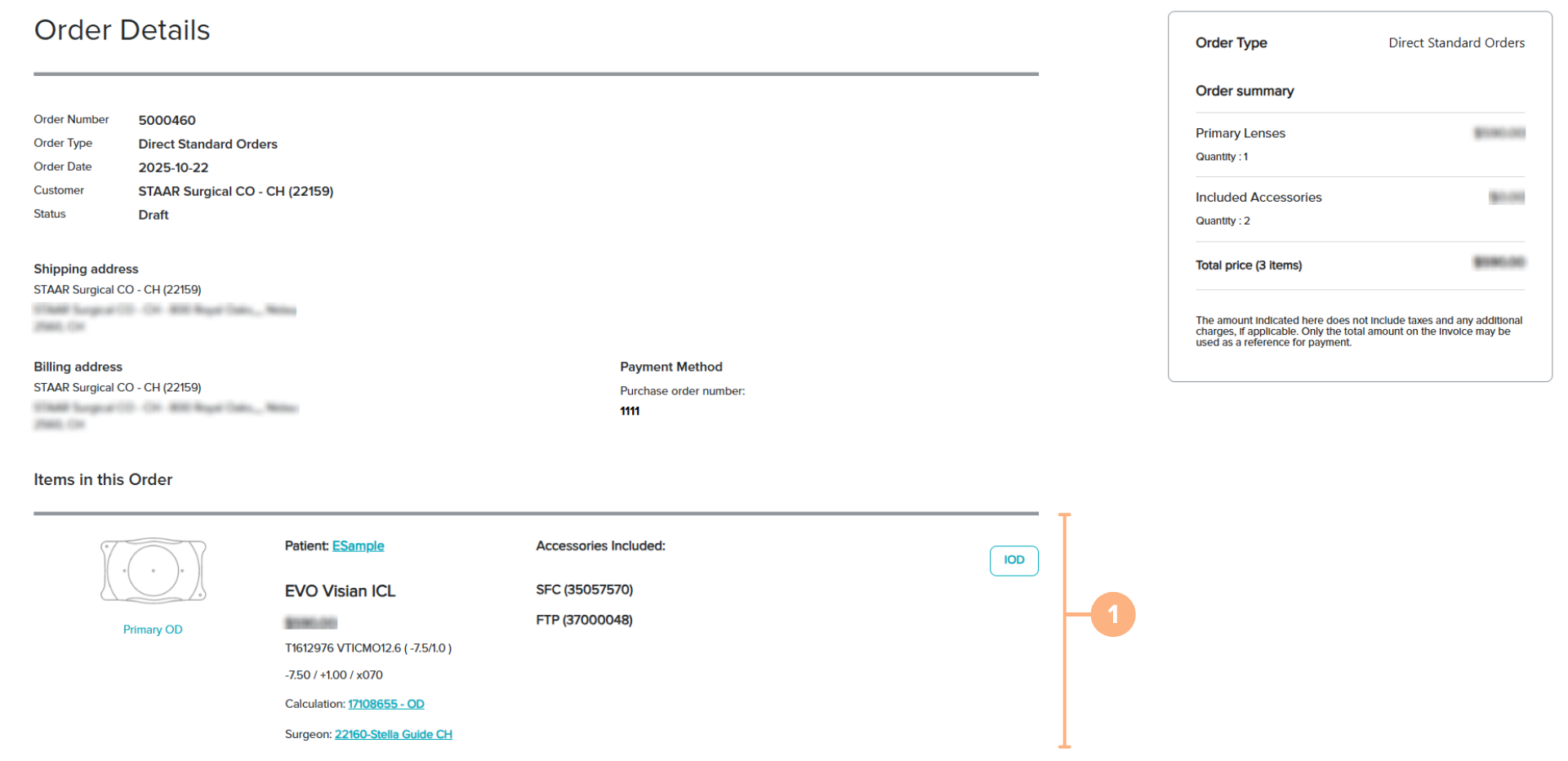
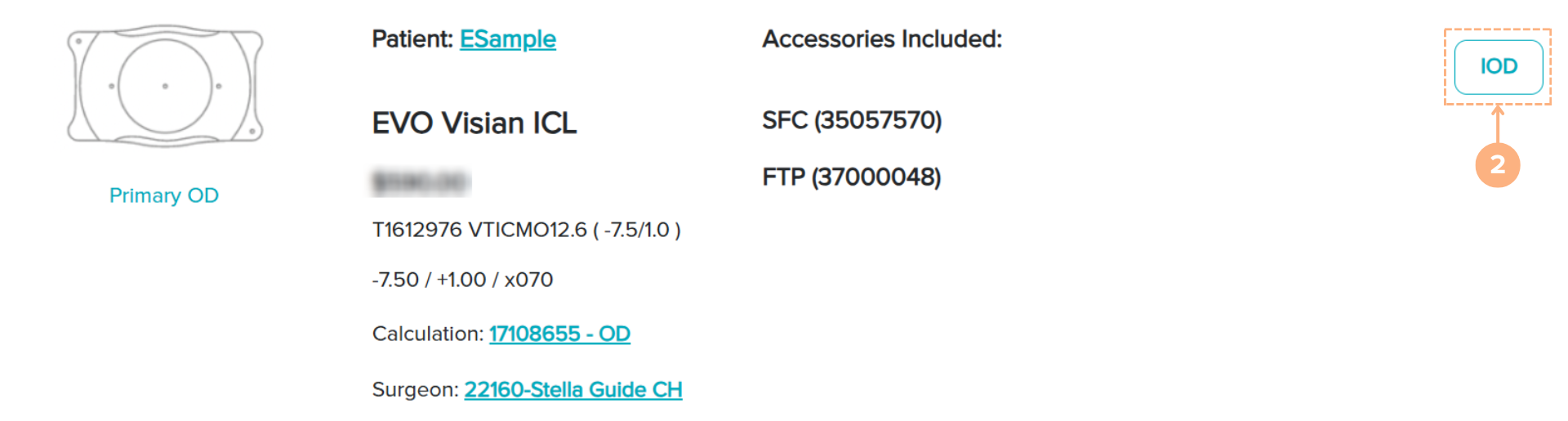
- Click on the IOD or SID icon.
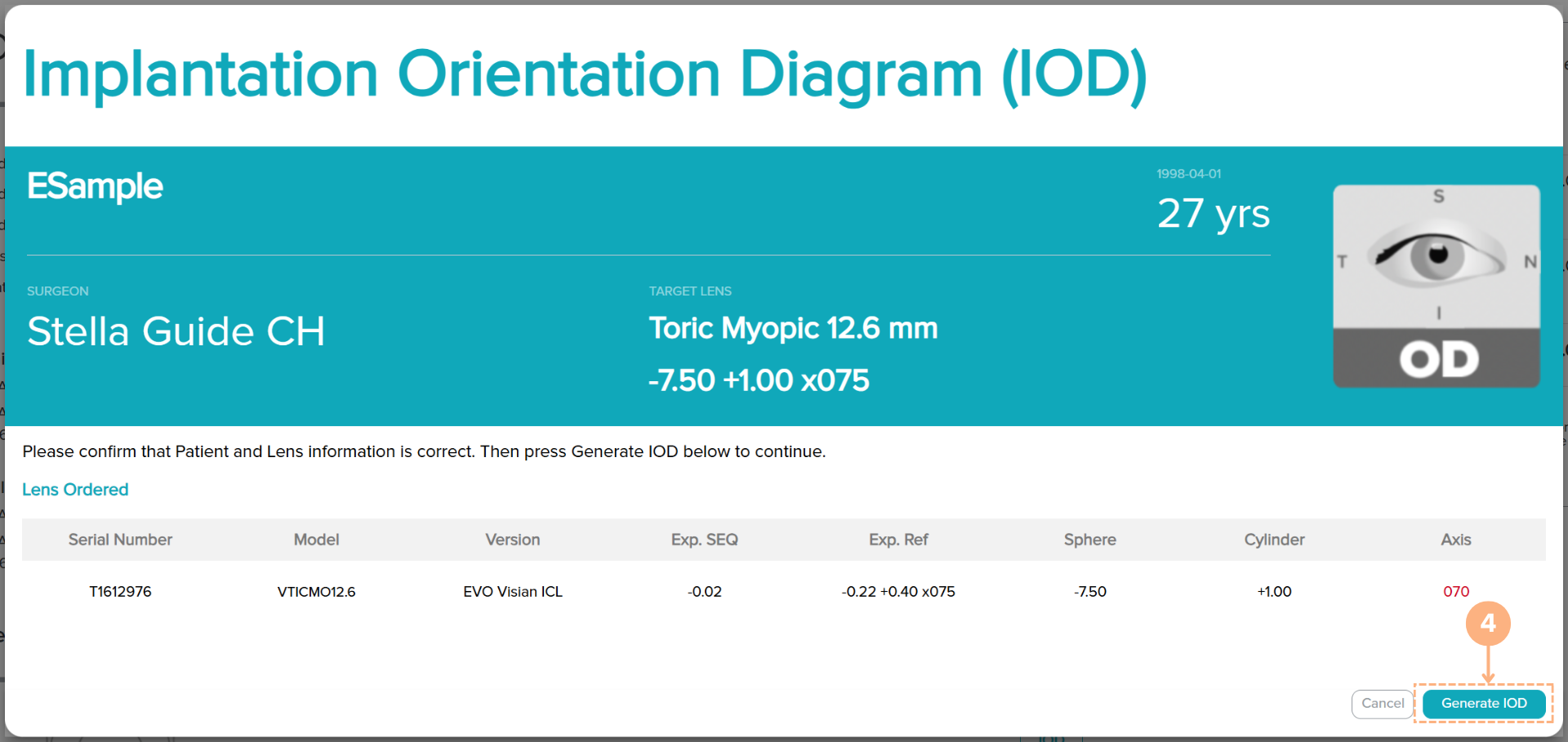
- Confirm that the information is correct.
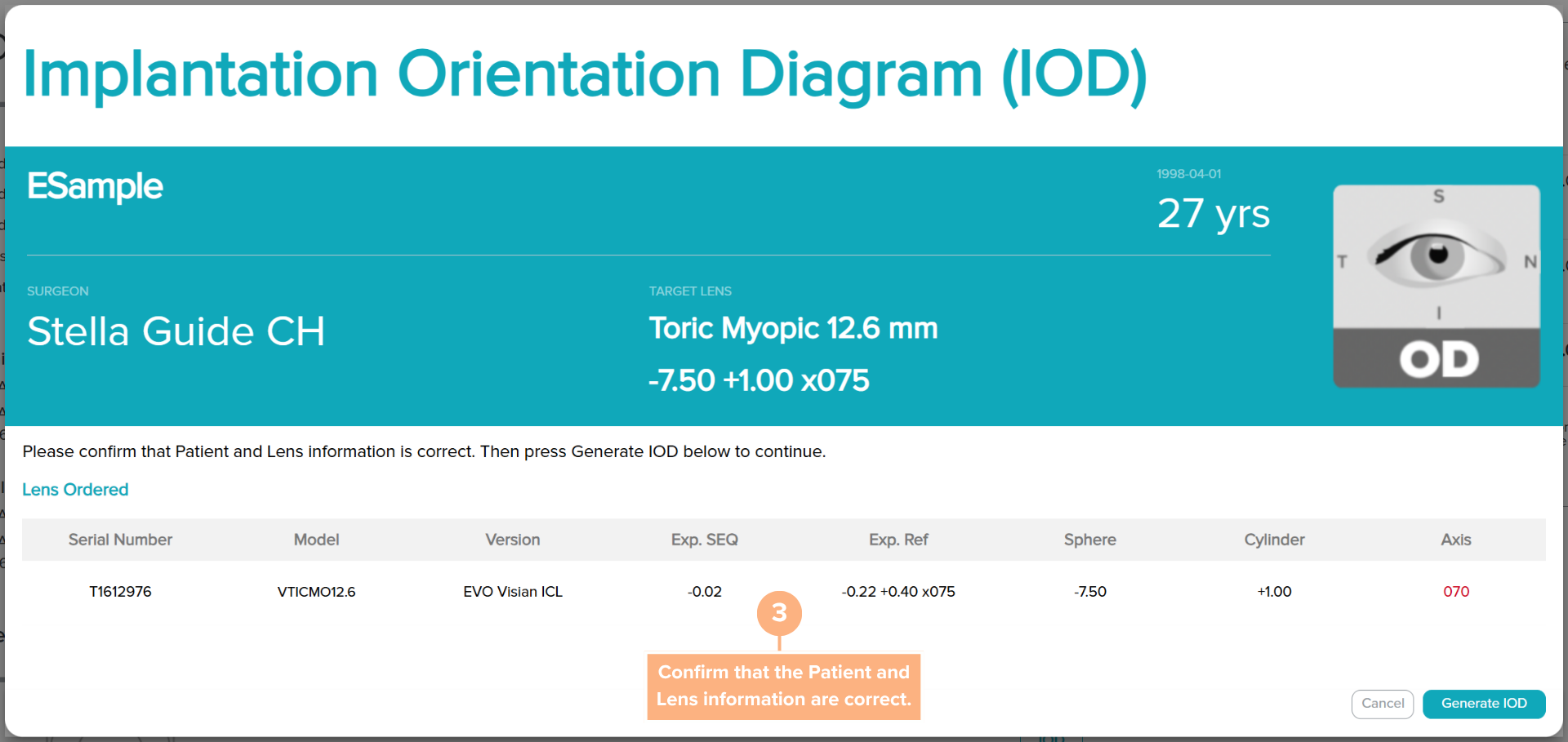
- Click on the Generate IOD or Generate SID button.
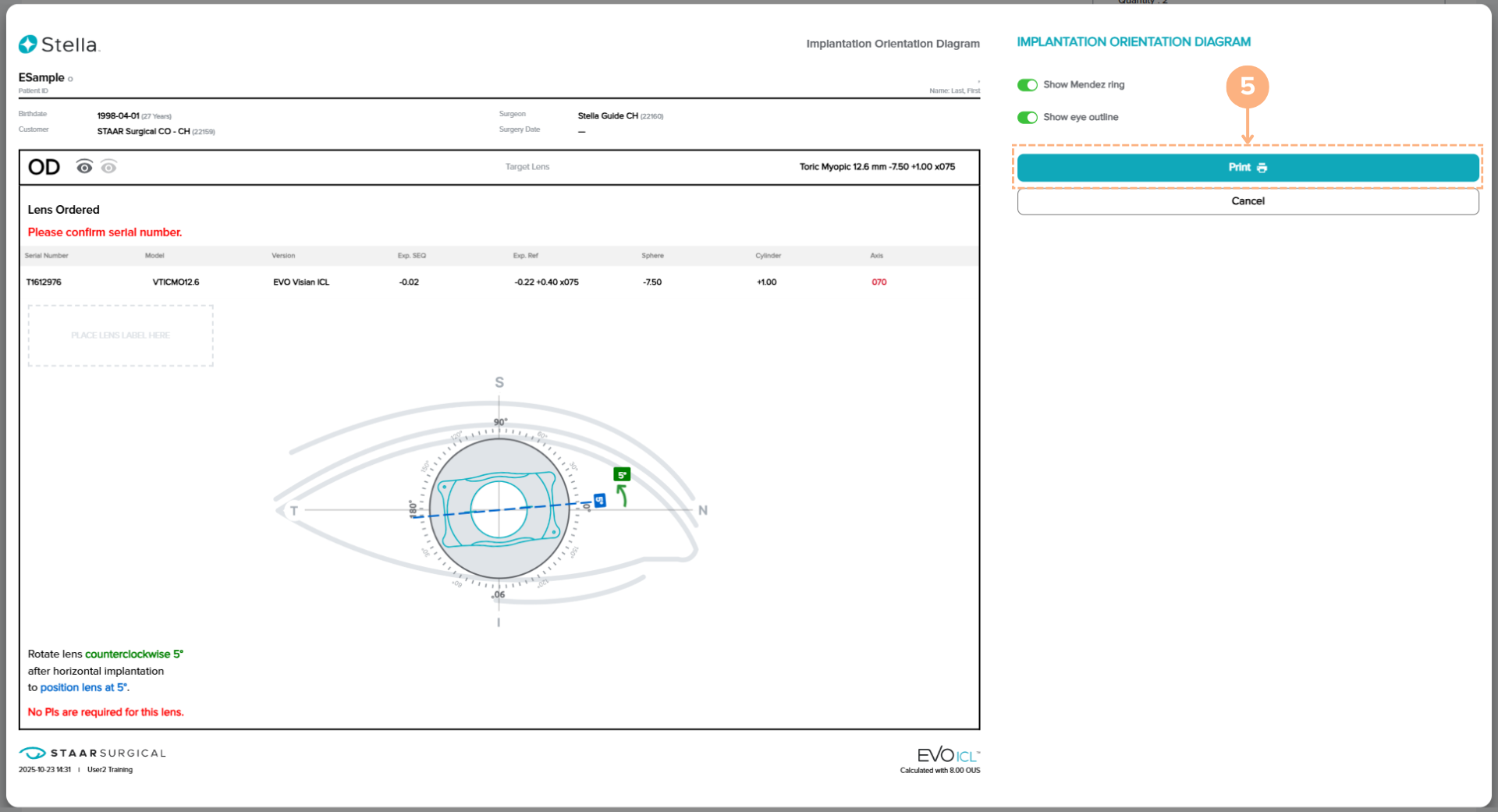
To obtain a printable version, click the Print button
Note: The toggle options to show the Mendez ring and eye outline are available for your visual preference.
How to Print or Download the IOD/SID
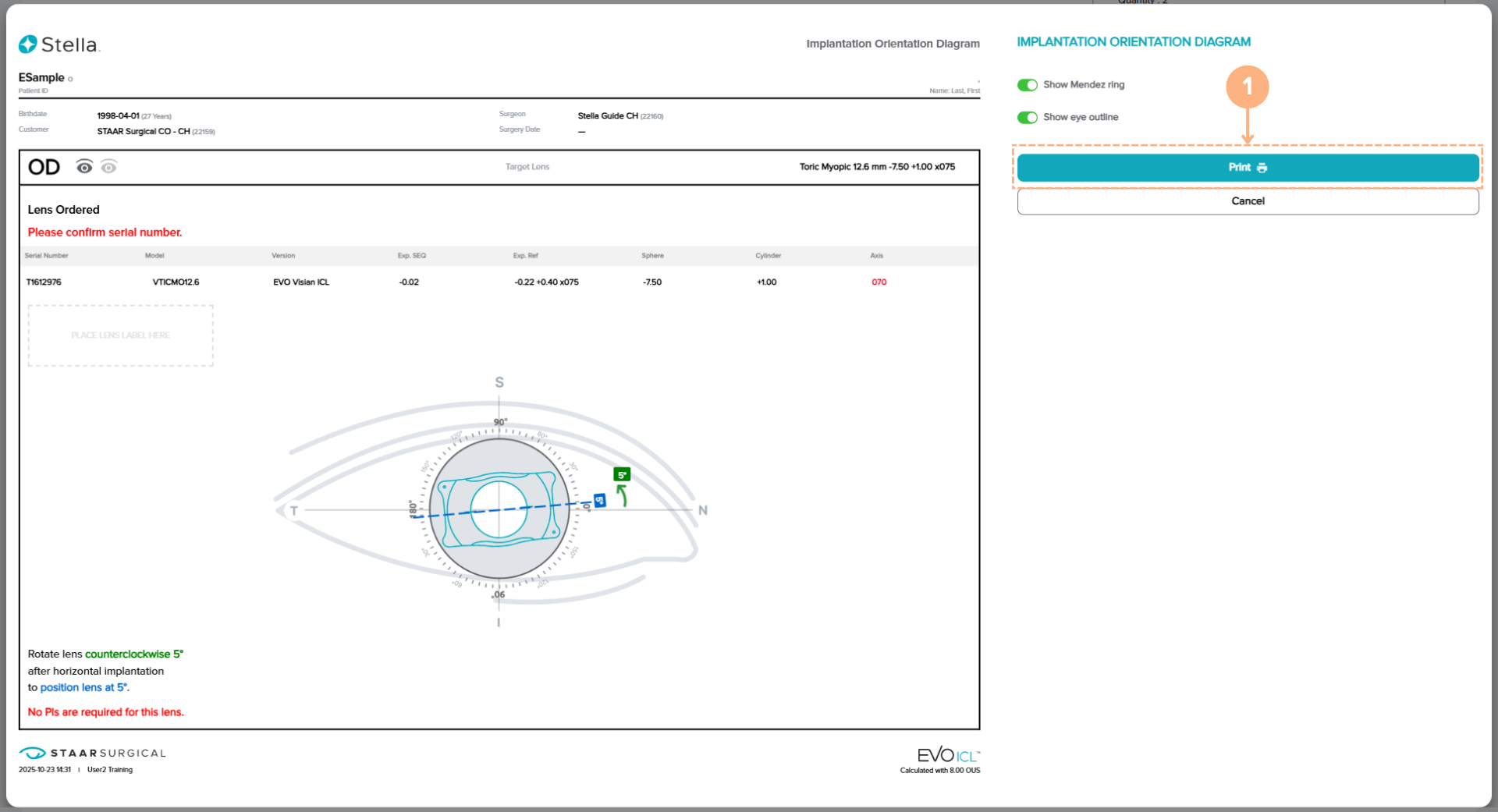
To print or download a copy of the IOD/SID, follow these steps:
- On the diagram screen, click on the Print button.
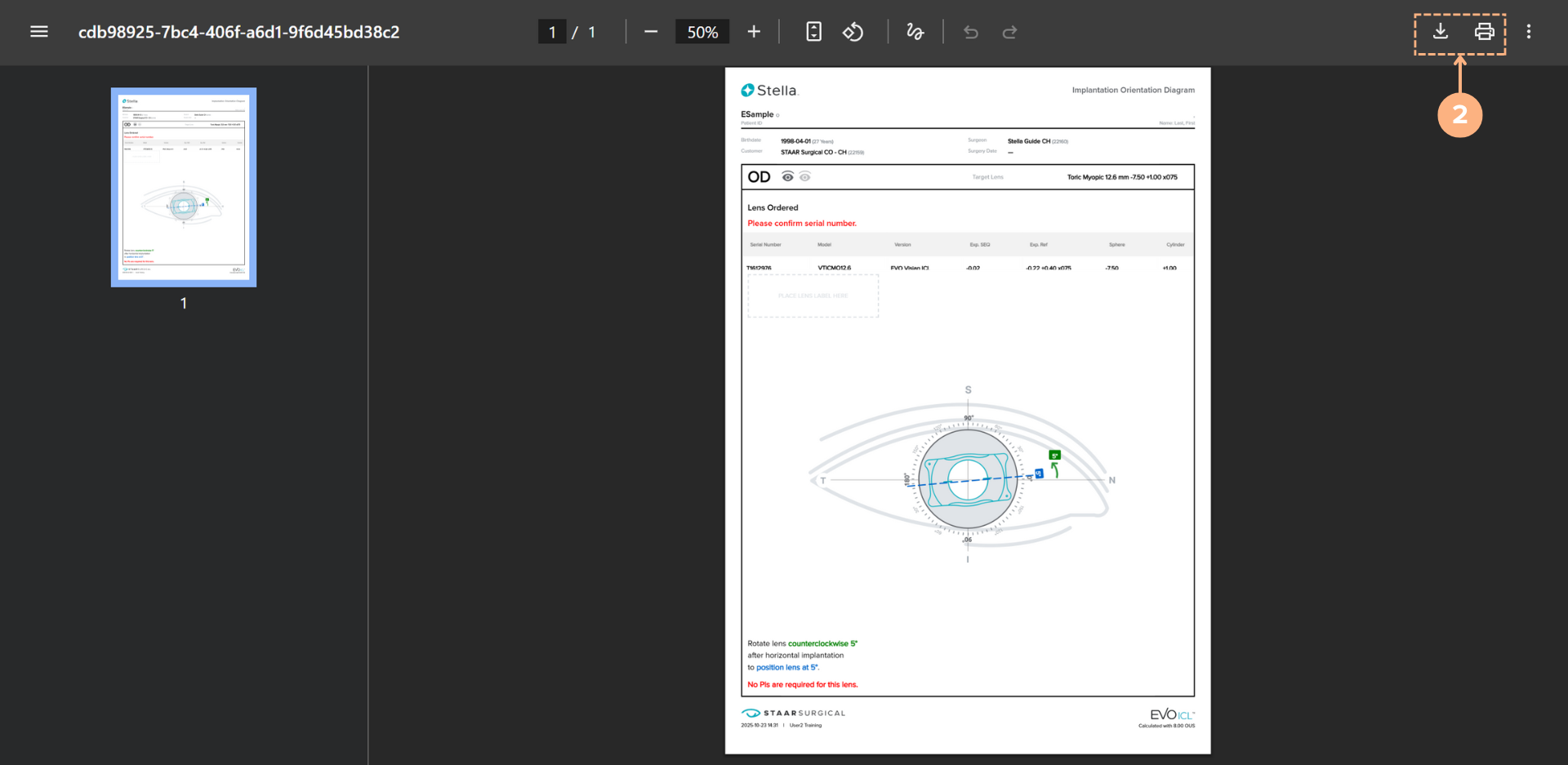
- Click on the printer icon to initiate the print or click on the download button to save the IOD/SID on your local or clinic network.
About the Implantation Orientation Diagram (IOD)
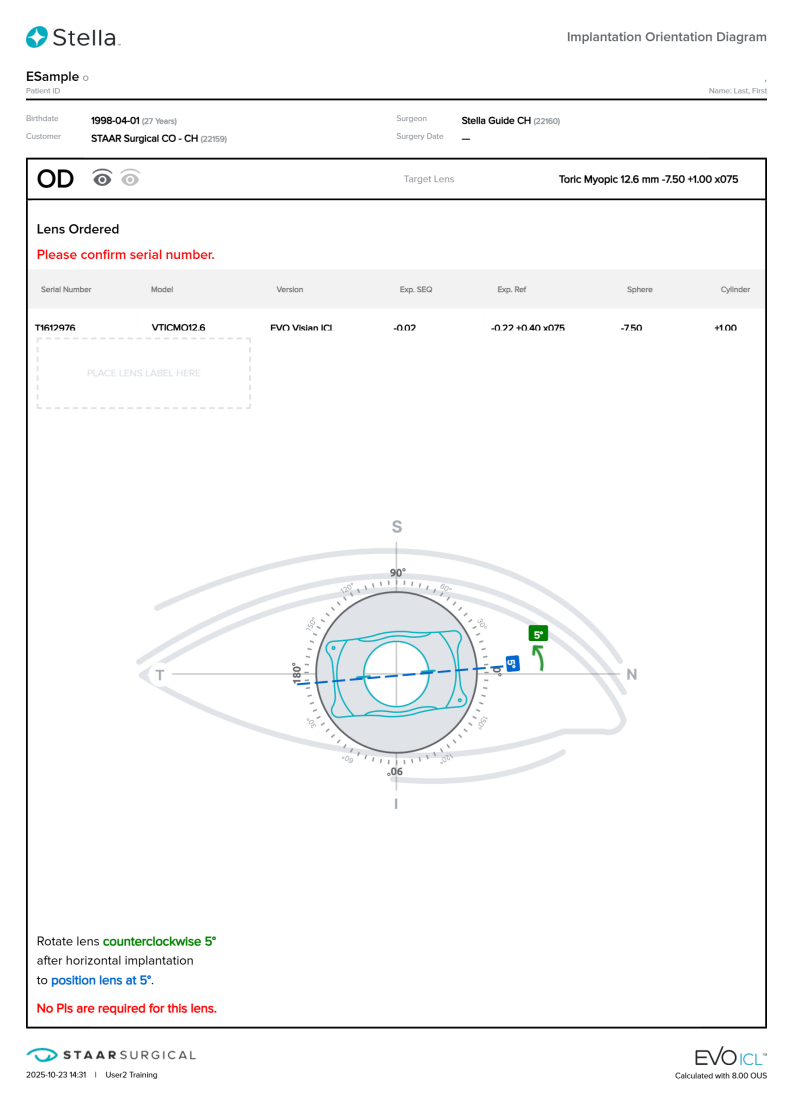
The IOD is critical for preoperative and operative planning, as it illustrates the patient’s cylinder axis and the degree and direction of rotation that will be required to align the cylinder axis of the lens with the patient’s cylinder axis. The IOD also includes the final lens position and indicates whether preoperative peripheral iridotomy (PI) is required.
About the Spherical Implantation Diagram (SID)
The SID provides patient information and lens information that are critical for surgical planning and indicates whether preoperative peripheral iridotomy (PI) is required. Note that no rotation is needed for spheric lenses.