Sort and Search Reservations
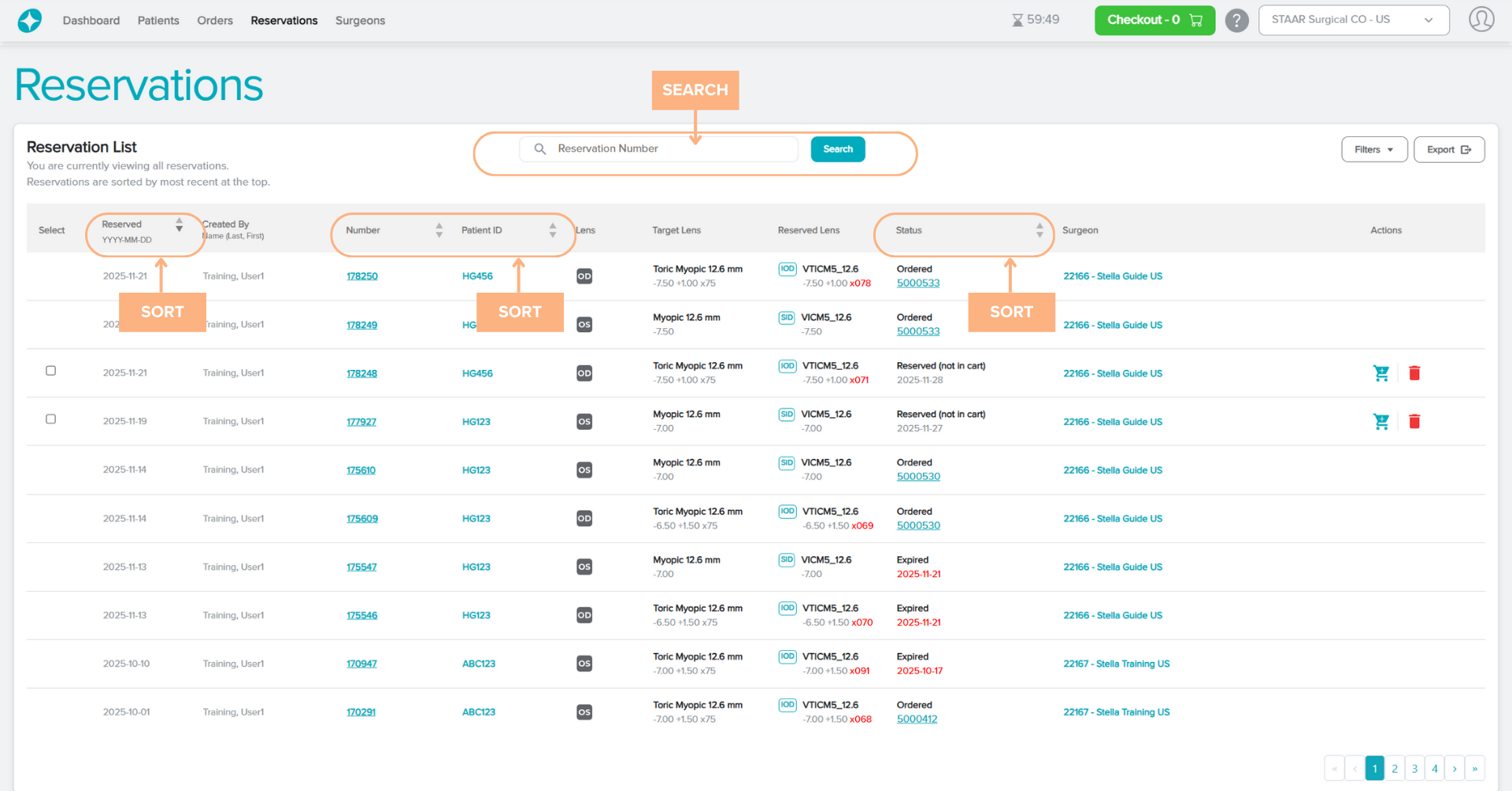
By default, the Reservations list is sorted by most recent at the top. There is an option to sort the list in ascending or descending order by clicking on the text or the corresponding arrow for the following categories:
- Reserved Date
- Reservation Number
- Patient ID
- Status
To search for a specific reservation, click on the search box and use the parameter Reservation Number. The page will display the associated order that fits the entered parameter.
Access Detailed Pages
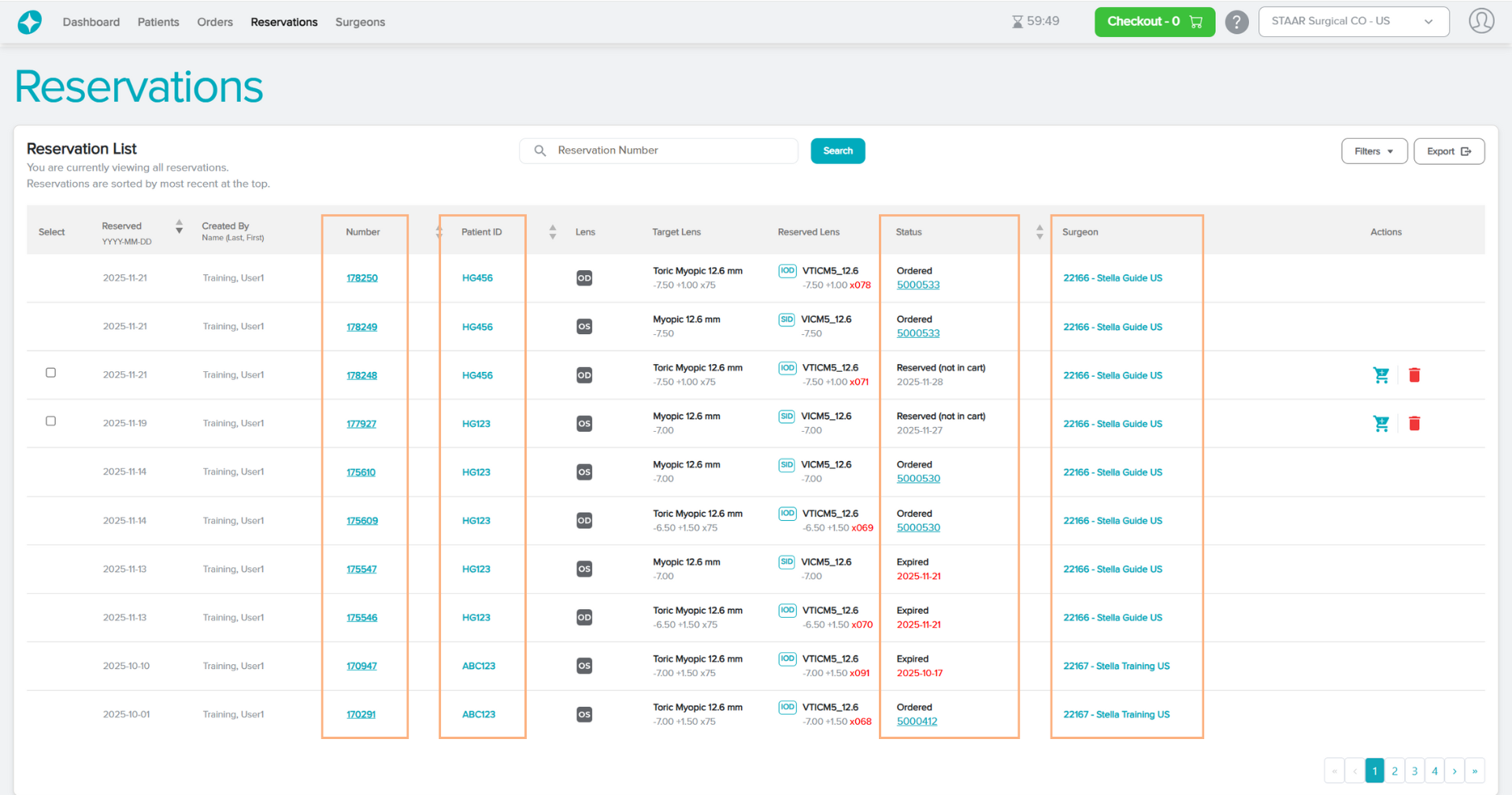
The Reservation tab contains hyperlinked texts that you can click to view more detailed information on the Reservation Details, Patient Details, Order Details (if applicable), and Surgeon Details.
Featured Buttons
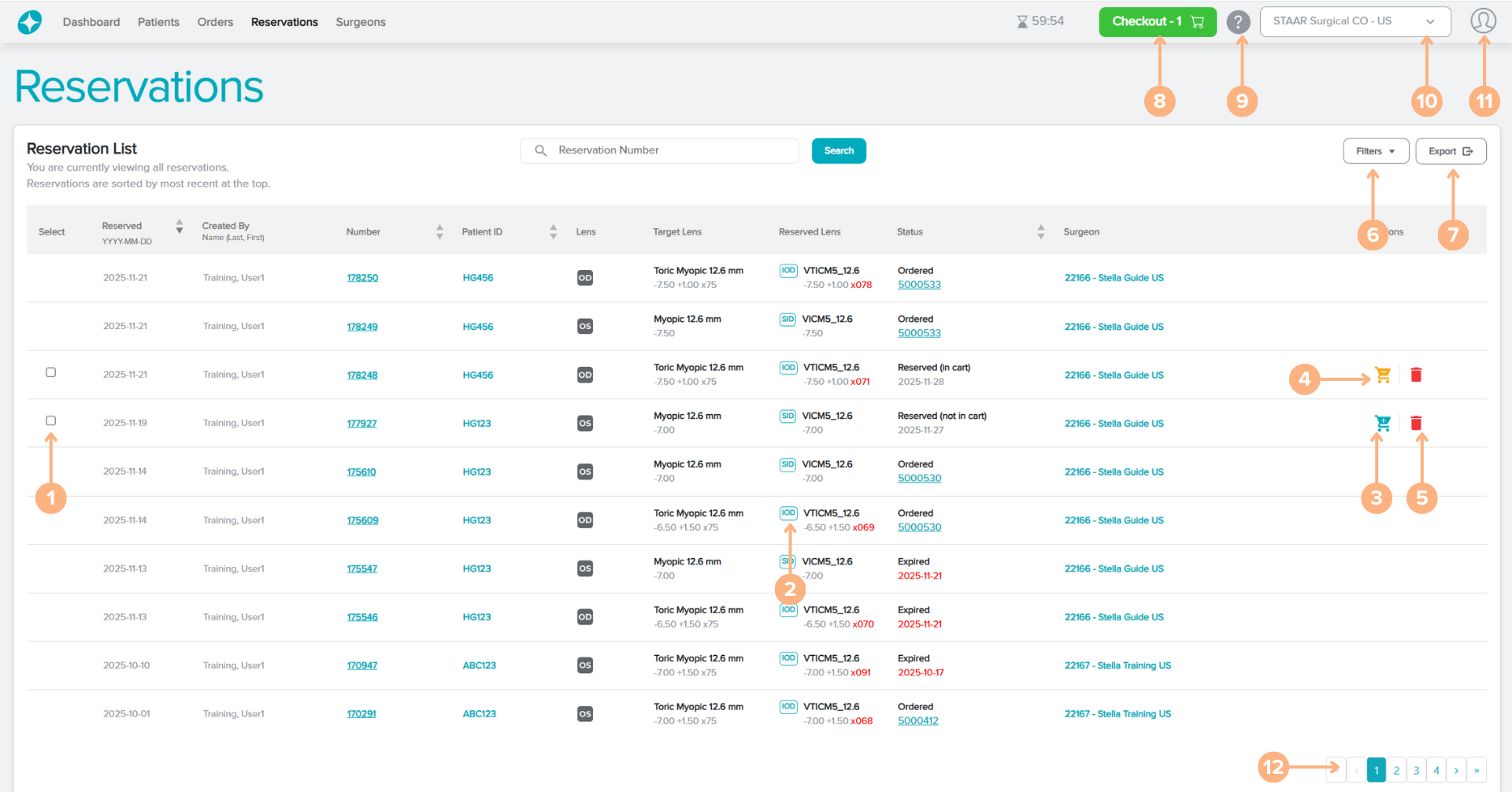
- Select: select multiple reserved lenses at once to add to cart or cancel reservations
- IOD/SID: prompt the IOD/SID screen pop-up. From the screen, you can generate the IOD/SID
- Add to Cart: add reserved lens to shopping cart
- Remove from cart (when applicable): remove the reserved lens from shopping cart
- Cancel reservation: cancel the reservation of lens
- Filters: filter the reservations based on surgeon (if the user is logged in as a customer account with multiple surgeons), creator and/or reservation status
- Export: generate an Excel report of the reservations list
- Checkout: access to the current shopping cart
- Help: access to the Help Guide which navigates the Stella ICL Planning System and Calculator
- Change customer or surgeon: select a different customer account or surgeon to view
- Sign Out: sign out of the current account
- Page numbers: navigate through the different pages of reservations by clicking on the page numbers or arrow buttons
Status Indications
On the reservations list, the status indicates the current placement of the reservations. The possible status for reservations are:
- Reserved (not in cart): the reservation has been placed successfully. The lens will remain in reservation for up to seven days.
- Reserved (in cart): the lens in reservation is currently placed in the shopping cart for order.
- Ordered: the reservation has been placed for order.
- Expired: the reservation passed its expiration date.
- Canceled: the reservation is canceled.
Reserved Lens Note
Please note differences between the prescription details, length, and model number of reserved lens and the target lens will be color-coded in red. For Toric lenses, differences in the sphere, cylinder, or axis values between the target lens and the reserved lens will be color-coded. For both Spheric and Toric lenses, differences in length between the target lens and the reserved lens will be color-coded as well.